Every print starts by copying a file to the host
Share an installed printer
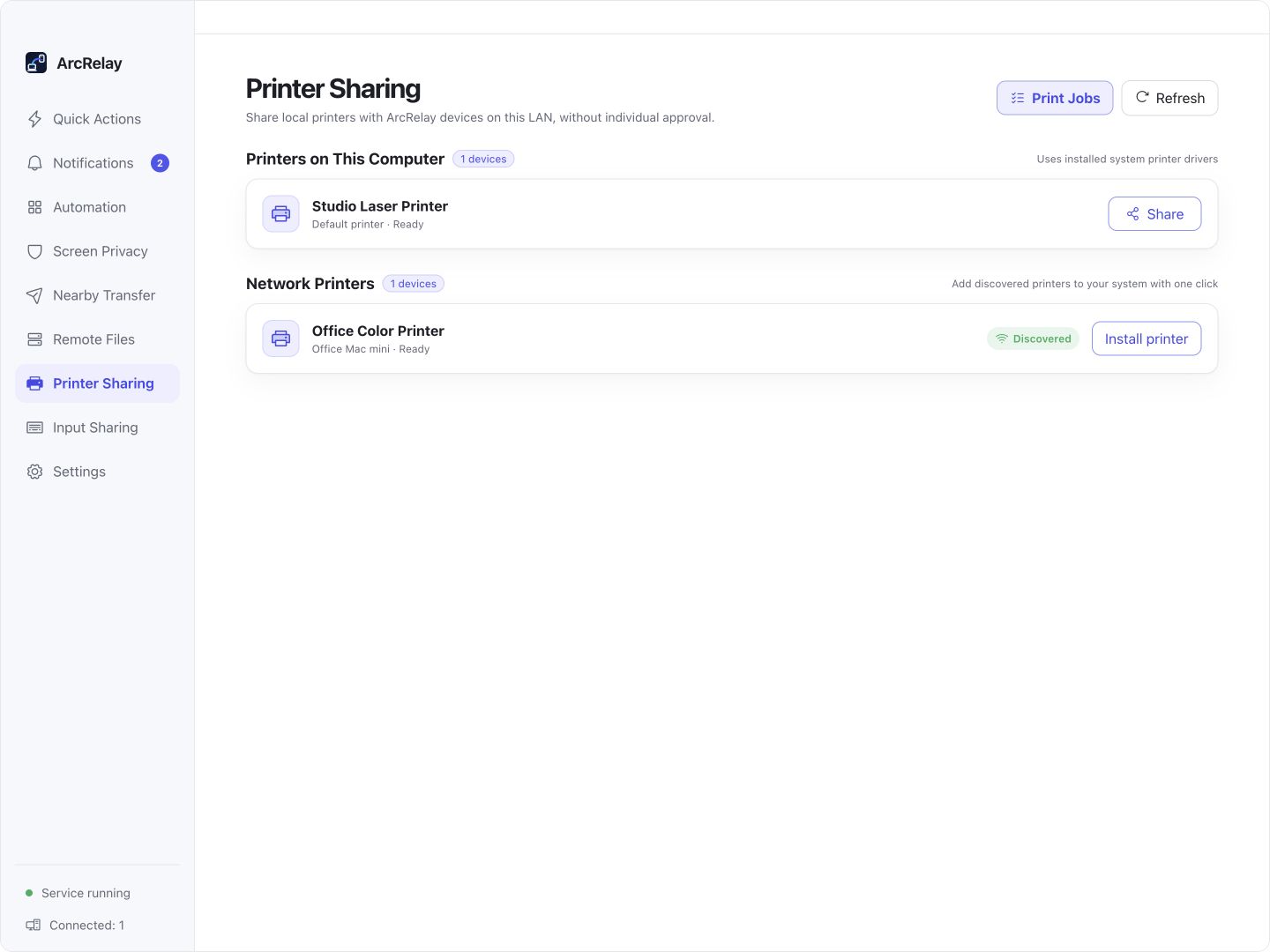
The host publishes a printer using its installed system driver. Discover it from the other device and add a remote system queue.
ArcRelay Print
Made for · Households and small workspaces sharing a printer
Add a shared computer’s installed printer to your system queue and print from the apps you already use.

Suite Printer Sharing development preview with example printers. Sharing scope follows the settings in your version.
Captured from an English development preview of the current desktop frontend with example devices and content. The installed version determines the interface and available features.
BUILT AROUND YOUR DAY
Use a printer attached to another computer from your own apps. Check the sharing scope and system queue, then follow the job result.
Every print starts by copying a file to the host
The host publishes a printer using its installed system driver. Discover it from the other device and add a remote system queue.
The remote printer is missing from your app
After installation, select the queue in your app’s print dialog. System installation may require permission; paper and duplex options depend on the driver.
You clicked Print but cannot tell what happened
Inspect sent and received jobs, failure reasons and cancellation. Both the host computer and printer must remain online.
START WITH ONE TASK
Install the system driver on the host, then enable sharing for the selected printer.
After pairing and printing authorization, add the remote queue to system printers; extra system permissions may be needed.
Select the queue in your app’s print dialog and inspect the job list for results, errors or cancellation.
BEFORE YOU START
The host and printer must remain online. Paper, duplex and formats depend on drivers and system backends; discovery does not grant printing permission.
This page describes the focused product’s value; it does not announce a standalone package release.
Read the feature and permission detailsArcRelay Suite brings input, content and local tasks together over trusted device connections.