


 ArcRelay Suite · 로컬 우선 장치 협업
ArcRelay Suite
입력, 파일 및 클립보드가 장치 간에 자연스럽게 이동되도록 하십시오.
ArcRelay Suite는 교차 화면 입력, 휴대폰 제어, 클립보드, 파일 전송을 로컬 우선 협업 환경으로 제공합니다. Windows 앱은 Microsoft Store에서, macOS 앱은 공식 설치 파일로 받을 수 있습니다. 데스크톱 소스는 GitHub에 공개되어 있습니다. 기능은 플랫폼, 버전, 시스템 권한에 따라 다릅니다.
Windows 앱이 Microsoft Store에 출시되었습니다.
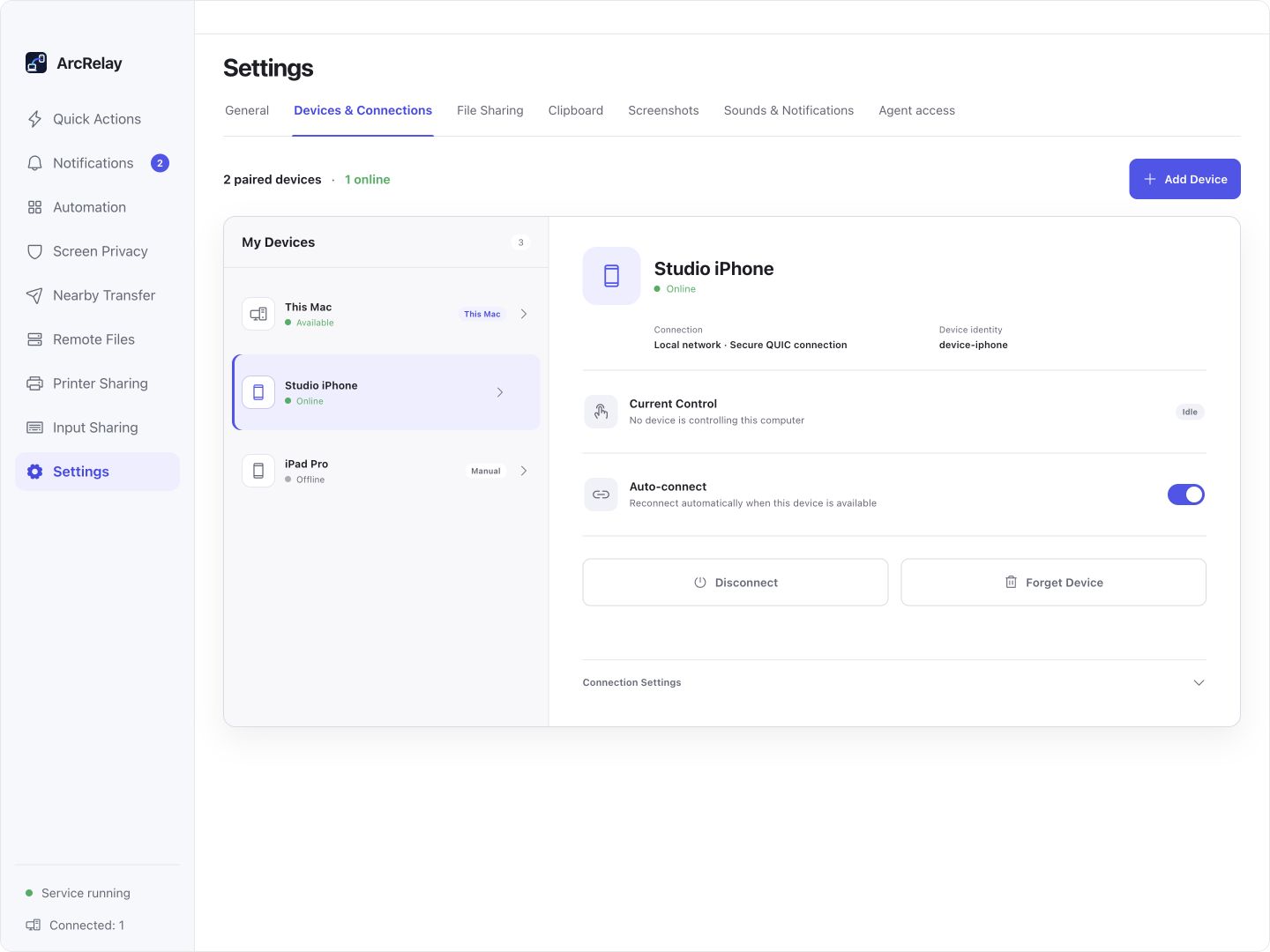
스위트 장치 및 연결: ID, 온라인 상태 및 자동 재연결.
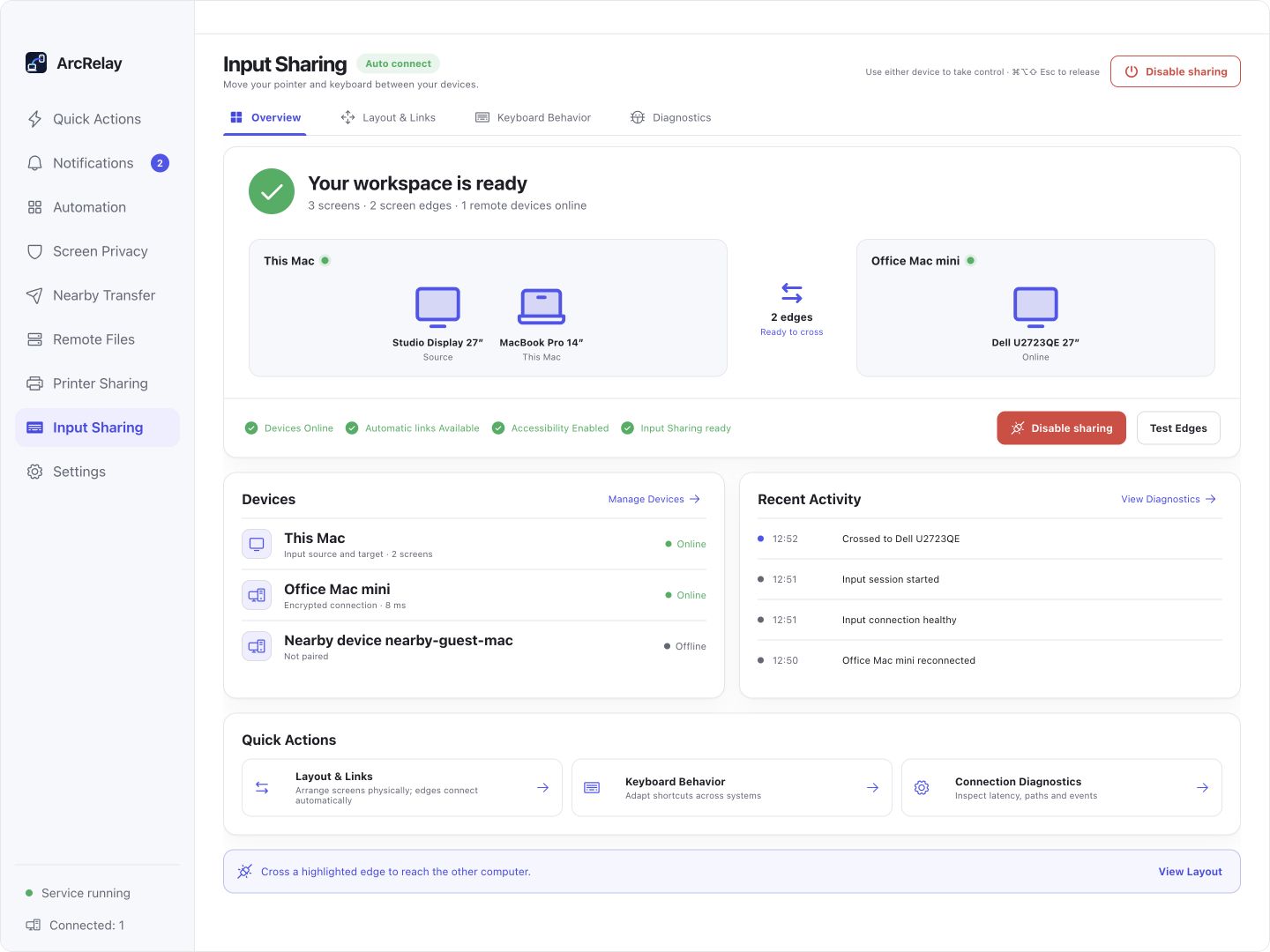
입력 공유 작업 공간은 동일한 장치 연결을 사용하며 다른 기능은 사이드바에서 사용할 수 있습니다.
예제 장치 및 콘텐츠가 포함된 현재 데스크톱 프론트엔드의 영어 개발 미리 보기에서 캡처됩니다. 설치된 버전은 인터페이스와 사용 가능한 기능을 결정합니다.
누구를 위한 것인가
오늘 필요한 것이 맞는지 확인하십시오.
- 여러 대의 Windows 또는 macOS 컴퓨터를 사용하는 사용자
- 로컬 검색, 명시적 페어링 및 기능 수준 권한을 중시하는 사용자
- 직접 파일 전송, 클립 보드 릴레이 또는 공유 키보드 및 마우스 제어를 원하는 사람
- 필수 공식 Linux 데스크탑 패키지
- 중앙 집중식 클라우드 관리, 팀 콘솔 또는 공개 비즈니스 허브
- 모든 기능이 별도의 독립 실행형 애플리케이션으로 배포됨
일상에 맞춘 기능
일상적인 장치 작업을 함께 가져옵니다.
하나의 신뢰할 수 있는 장치 연결을 사용하여 입력, 파일 및 클립보드 작업을 수행합니다. 필요에 따라 기능을 사용할 수 있습니다.
기기가 격리되어 작동함
연결 및 권한을 함께 관리
장치 ID를 확인하고, 작업에 대한 기능을 연결하고 부여합니다. 페어링은 모든 기능을 승인하지 않습니다.
복사, 전송 및 전환은 별도의 루틴이 필요합니다.
작업에 대한 도구 선택
입력을 위해 마우스를 사용하고, 파일 전송을 위해 전송을, 재사용 가능한 콘텐츠를 위해 클립보드를 사용합니다. 설정에 포함된 Sniptra 캡처 도구를 사용합니다.
편리함은 여전히 가시적 인 경계를 필요로합니다.
장치에 대한 제어 유지
권한, 보존 및 알림을 검토합니다. 위험한 행동은 지역 확인을 유지합니다. 지원은 버전 및 플랫폼에 따라 다릅니다.
시작하는 간단한 방법
발견에서 협업에 이르기까지 경로는 계속 표시됩니다.
더 알아보기
도달 가능한 네트워크에서 기기를 찾으십시오.
페어링
정체성과 열린 능력을 확인한다.
공동 작업
입력 및 콘텐츠가 신뢰할 수 있는 경로를 따라 이동하도록 합니다.
GitHub 직접 다운로드 · v0.3.0 · 2026-10-07
장치의 패키지를 선택합니다.
Windows에서는 Microsoft Store 설치를 권장하며 직접 설치 파일도 제공합니다. macOS에서는 칩에 맞는 DMG를 선택하세요. 스토어 버전과 요구 사항은 상품 페이지를 확인하세요. 아래 GitHub 버전 정보는 직접 다운로드에만 적용됩니다.
Windows
스토어에서 설치하고 업데이트하세요. 버전과 시스템 요구 사항은 상품 페이지를 확인하세요. 아래에서 Windows x64 / ARM64 직접 설치 파일도 받을 수 있습니다.
macOS
Apple Silicon / Intel
현재 공식 패키지는 Apple Silicon / Intel의 Windows x64 / ARM64 및 macOS를 포함합니다. Linux 패키징은 기본 프로세스와 시스템 모니터 서비스가 준비되면 따라옵니다.
우리가 작업하는 것
먼저 세 가지 직업에 대한 의존도를 높입니다.
ArcRelay Suite는 이제 아래 기능과 함께 공식적으로 출시됩니다. 이러한 단계는 각 기능의 향후 방향을 독립 실행형 제품으로 설명하며, 통합 애플리케이션이 출시되지 않았음을 의미하지는 않습니다.
핵심 작업, 연결 품질 및 크로스 플랫폼 검증에 우선 순위를 부여합니다.
최종 모양은 발사 경로가 안정적 인 후에 실제 수요에 달려 있습니다.
독립 앱 출시를 성급하게 약속하지 않고 기능 범위를 명확히 합니다.
ArcRelay Mouse
컴퓨터 간에 키보드와 마우스를 공유하거나 휴대폰에서 입력을 제어합니다.
이 제품 살펴보기01ArcRelay Transfer
눈에 띄는 진행 상황과 목적지가 있는 주변 기기 간에 직접 파일을 전송합니다.
이 제품 살펴보기02ArcRelay Clipboard
텍스트, 이미지 및 자주 사용되는 스니펫을 기기 전체에서 중계합니다.
이 제품 살펴보기03ArcRelay Monitor
필수 컴퓨터 상태 및 활동을 도달 범위 내에서 유지하십시오.
이 제품 살펴보기04ArcRelay Privacy
개인 정보 보호를 원격으로 전환하고 상태를 확인합니다.
이 제품 살펴보기05ArcRelay Automate
트리거, 조건 및 명령된 단계에서 검사 가능한 로컬 자동화를 구축합니다.
이 제품 살펴보기06ArcRelay Print
신뢰할 수 있는 장치 간에 안전하게 인쇄 기능을 공유합니다.
이 제품 살펴보기07경계 및 신뢰
그것이 어떻게 작동하는지, 그리고 그 경계가 어디에 있는지보십시오.
지역 발견
가까운 장치 검색은 로컬 네트워크에서 시작됩니다.
명시적 페어링
모든 관계에는 눈에 보이고 취소 할 수있는 신뢰 상태가 있습니다.
능력부여
입력, 파일 및 클립보드 권한은 별도로 표현됩니다.
기능별 액세스
페어링, 기본 기능 부여 및 브라우저 디렉터리 액세스는 별도로 관리됩니다.