ArcRelay Transfer

Get the file onto the device beside you.

Made for · People and creators moving files between phones and computers

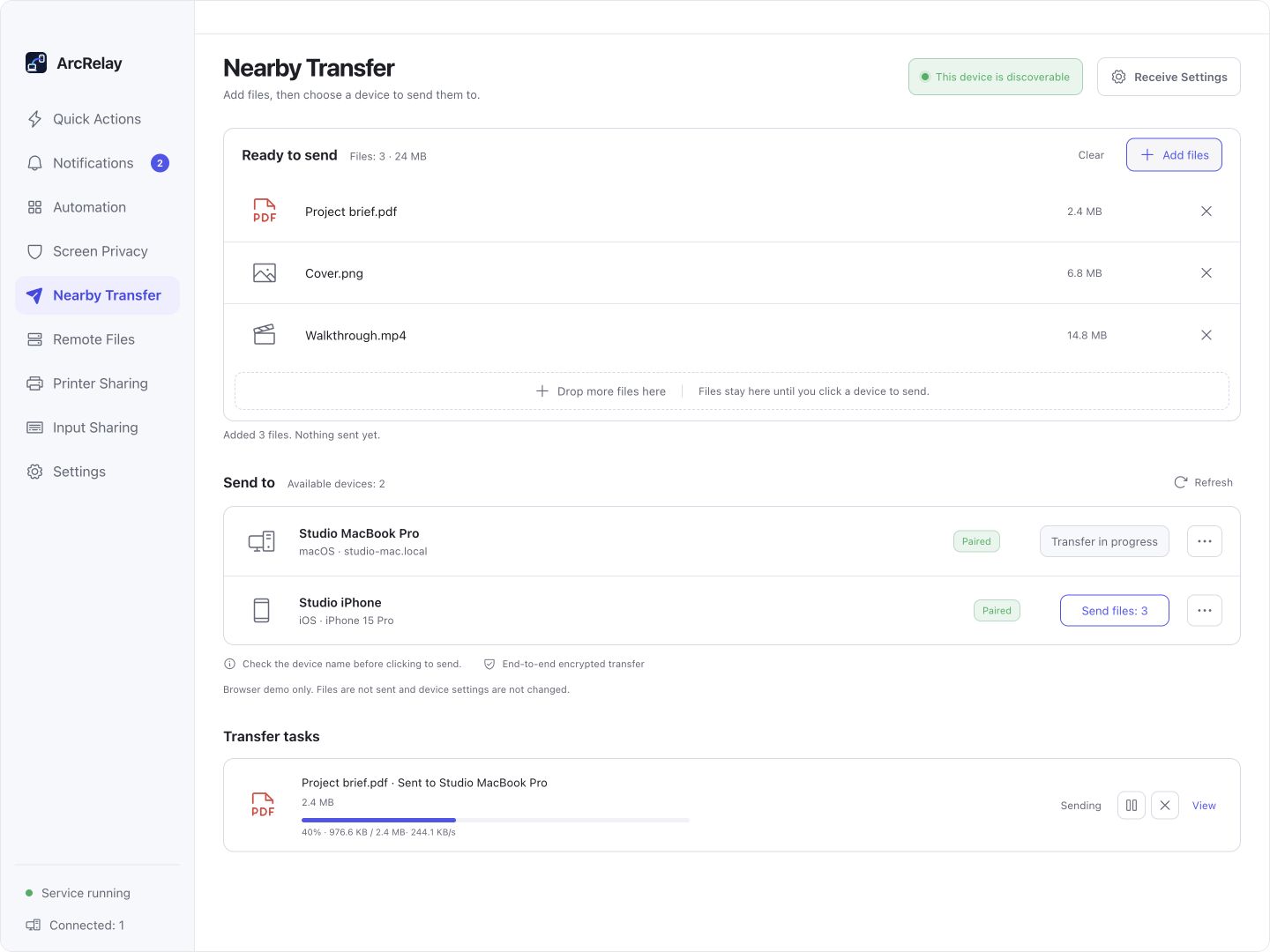
Send a batch of photos or work files and see acceptance, progress and the final destination.

Suite Nearby Transfer: example files, receiving devices and a task in progress. Transfer data is simulated.
A batch of files, a clear delivery

Suite Nearby Transfer: example files, receiving devices and a task in progress. Transfer data is simulated.

Captured from an English development preview of the current desktop frontend with example devices and content. The installed version determines the interface and available features.

BUILT AROUND YOUR DAY

One delivery, with a visible result.

Send documents, photos or videos to another device. Confirm the recipient, follow progress and check where the files landed.

01

A nearby file takes a detour through chat or cloud storage

Choose files and a nearby device

Add a batch of files, verify the target in the nearby list and start the transfer. The receiver’s policy determines acceptance.

02

You cannot tell whether a delivery is waiting or finished

Follow the transfer task

Tasks show direction, files and progress. Pause, resume or cancel within the current application session.

03

A received file is hard to find

Confirm completion and destination

Files reach the receive directory after size and integrity checks. Inspect history and resend interrupted work when needed.

Explore features, permissions and platform support

START WITH ONE TASK

Put the steps together.

01

Choose files and a paired recipient

Select the files and target in Nearby Transfer and confirm the recipient’s identity.

02

Accept the transfer on the receiving device

Accept on the receiver. Automatic acceptance policies apply only to paired, authorized devices.

03

Check the completed files and destination

Check completion and the receive folder after size and integrity validation. Restart interrupted work using its history result.

Read the user guide

BEFORE YOU START

Know what to expect.

Pause and resume apply within the current app session, without cross-restart resumability. Browser file access is a separate HTTP entry for trusted networks.

This page describes the focused product’s value; it does not announce a standalone package release.

Read the feature and permission details

Need several tools working together?

ArcRelay Suite brings input, content and local tasks together over trusted device connections.

Explore Suite