



Aparece el chat o el correo al cambiar las ventanas
Elige aplicaciones protegidas
Añade aplicaciones a la lista protegida y elige una máscara difuminada o sólida. También se incluyen las ventanas visibles sin foco.
 ArcRelay Privacy
ArcRelay Privacy
Hecho para · Para compartir pantalla, presentar o grabar tutoriales
Elige máscaras para ventanas de chat o correo y comprueba la vista compartida antes de presentar.
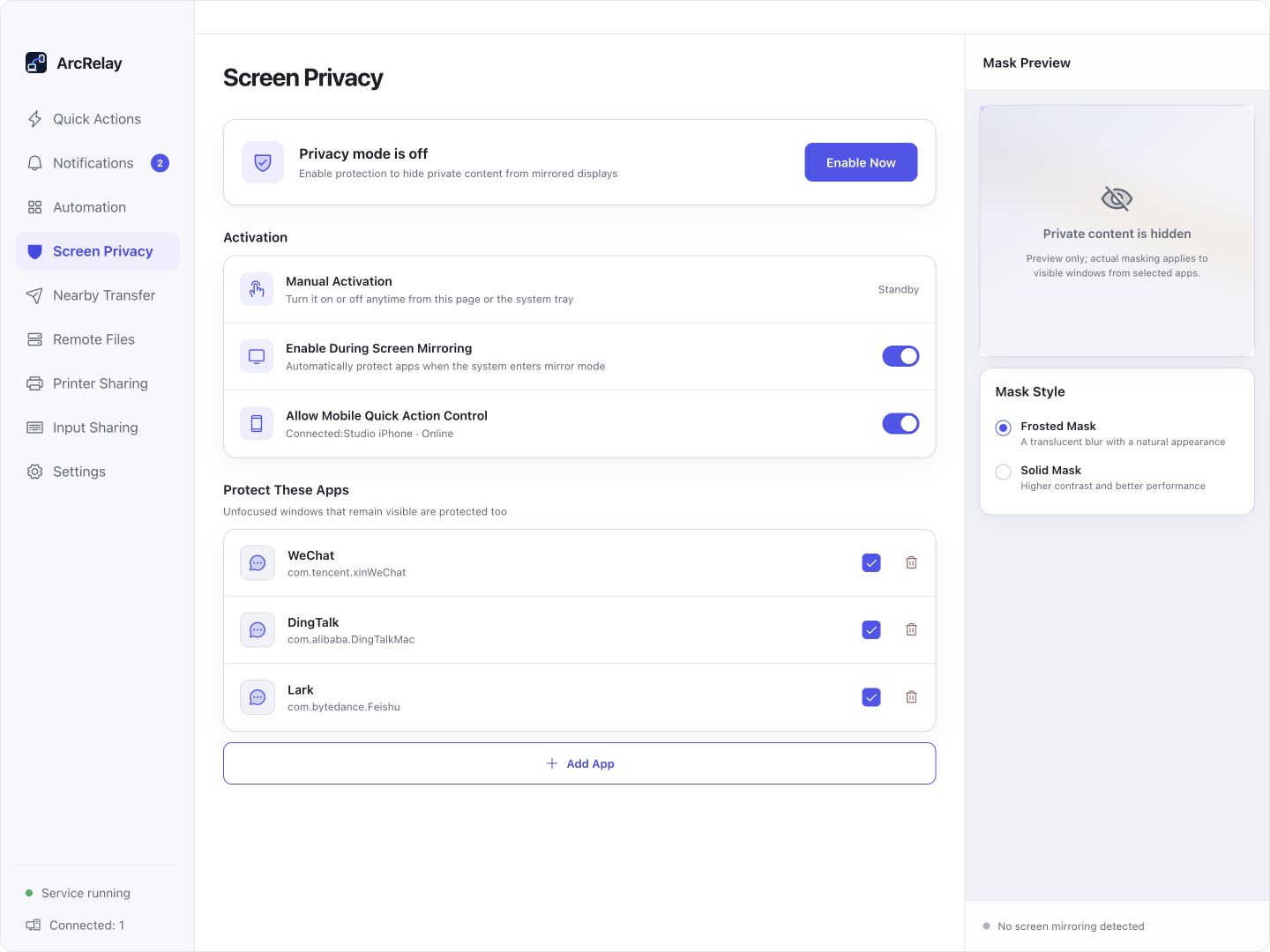
Suite Screen Privacy: selección de aplicaciones, activación y vista previa de máscaras. Verifique la vista del público en su herramienta de reunión.
Capturado desde una vista previa del desarrollo en inglés de la interfaz de escritorio actual con dispositivos de ejemplo y contenido. La versión instalada determina la interfaz y las características disponibles.
PENSADO PARA TU DÍA A DÍA
Elija las aplicaciones para enmascarar antes de una reunión o grabación, y luego verifique la vista del público antes de presentarlo.
Aparece el chat o el correo al cambiar las ventanas
Añade aplicaciones a la lista protegida y elige una máscara difuminada o sólida. También se incluyen las ventanas visibles sin foco.
La reunión comienza antes de que estés listo
Preparar la lista de aplicaciones con antelación y habilitar la protección de la página o bandeja. Configure la conmutación remota sólo cuando sea necesario.
Su propia pantalla no es prueba de la vista del público
Compruebe la salida en la herramienta de reunión o grabación que use. Los métodos de captura difieren, y una máscara no es ni cifrado de archivo ni bloqueo de pantalla.
EMPIEZA CON UNA TAREA
Seleccione aplicaciones en privacidad de presentación y elija una máscara helada o sólida.
Habilitar la protección a través de la página de funciones o bandeja; permitir la conmutación remota sólo cuando sea necesario.
Compruebe la vista del público en su herramienta de reunión o grabación real antes de confiar en una máscara para obtener información sensible.
ANTES DE EMPEZAR
El enmascaramiento de ventanas no es cifrado o bloqueo de pantalla y no puede cubrir todos los métodos de captura. Linux carece de protección nativa equivalente.
Esta página describe el valor del producto enfocado; no anuncia una versión independiente del paquete.
Lea los detalles de la función y el permisoArcRelay Suite reúne tareas de entrada, contenido y locales sobre conexiones de dispositivos confiables.